Facebook has become an important platform for digital creators who want to build an audience, publish videos and earn money online. In 2026, creators can use Facebook Reels, longer videos, Stories, photos and text posts to grow their presence and potentially generate income.
Meta says Facebook paid content creators nearly $3 billion in 2025, its highest annual payout to creators so far. Meta also says 60% of that payout went to Reels, while the remaining amount came from Stories, photos and text posts.
For Facebook digital creators, a smartphone and a good mobile video editor can be enough to start creating professional-looking content. You do not necessarily need an expensive computer or advanced desktop editing software.
The right video editing app can help you cut clips, add captions, remove backgrounds, improve audio, create transitions, add music and export videos for Facebook Reels and other formats.
In this guide, we look at some of the best mobile video editors for Facebook digital creators in 2026, including their features, pros and cons and Google Play Store download links.
Why Mobile Video Editors Are Important for Facebook Creators
Creating videos for Facebook is not simply about recording a clip and uploading it. Good editing can make a major difference in how viewers experience your content. A mobile video editor allows you to remove unnecessary portions, improve the pacing of your video, add subtitles, highlight important information and make your content more attractive. This is particularly important for Facebook Reels because viewers often decide within a few seconds whether they want to continue watching.
Mobile video editing apps are also useful for creators who produce content regularly. You can record a video during the day, edit it on your smartphone and publish it without needing to transfer the footage to a computer.
Can Facebook Creators Earn Money From Videos in 2026?
Yes, eligible creators can earn money through Facebook’s monetization programs, but having a Facebook account or uploading videos does not automatically guarantee earnings.
Meta’s current Facebook Content Monetization program pays creators based on the performance of eligible content. Meta says the program covers multiple formats, including Reels, longer videos, Stories, photos and text posts.
As of March 2026, Meta says Facebook Content Monetization is invite-only, although creators can express interest through the Monetization section of the Professional Dashboard in the Facebook mobile app.
Meta is also placing greater emphasis on original content. It says original content can receive greater reach and monetization opportunities, while duplicated or minimally edited content can be deprioritized and may eventually affect monetization.
Therefore, creators should focus on producing original videos instead of simply downloading and reposting other people’s content.
What Should You Look for in a Facebook Video Editor?
Before choosing a mobile video editing app, consider the features that are most useful for Facebook content.
A good Facebook video editor should ideally provide:
- 9:16 vertical video editing for Reels
- Video trimming and cutting
- Automatic captions
- Text and stickers
- Music and sound effects
- Background removal
- Transitions
- Speed control
- Keyframe animation
- Multi-layer editing
- AI video editing tools
- High-resolution export
- Easy sharing to social media
Not every creator needs every feature. Beginners may prefer a simple interface, while experienced creators may want a professional multi-track timeline.
CapCut
CapCut is one of the most popular mobile video editing apps for social media creators. Its Google Play listing currently includes tools such as keyframe animation, slow motion, chroma key, stabilization, automatic captions, text-to-speech, motion tracking and background removal. It also supports custom export resolutions and up to 4K 60fps on supported devices.
CapCut is particularly useful for Facebook Reels and short-form videos because it combines quick editing with a large selection of effects, templates and creative tools. For a Facebook digital creator, CapCut can be used to create tutorials, entertainment videos, product videos, educational content, promotional videos and Reels.
Pros of CapCut
- Easy for beginners
- Advanced editing features
- Automatic captions
- Background removal
- Motion tracking
- Chroma key
- Keyframe animation
- Speed controls
- High-resolution export
- Good for Facebook Reels
Cons of CapCut
- Some advanced tools require payment
- The interface can feel crowded
- Complex projects can use significant storage and processing power
- Features may vary by region
Google Play Download
VN Video Editor
VN Video Editor is an excellent choice for creators who want a more traditional editing timeline while still working entirely from a smartphone. The Google Play listing identifies VN as a video and photo editor and highlights features including a multi-track timeline and advanced editing controls.
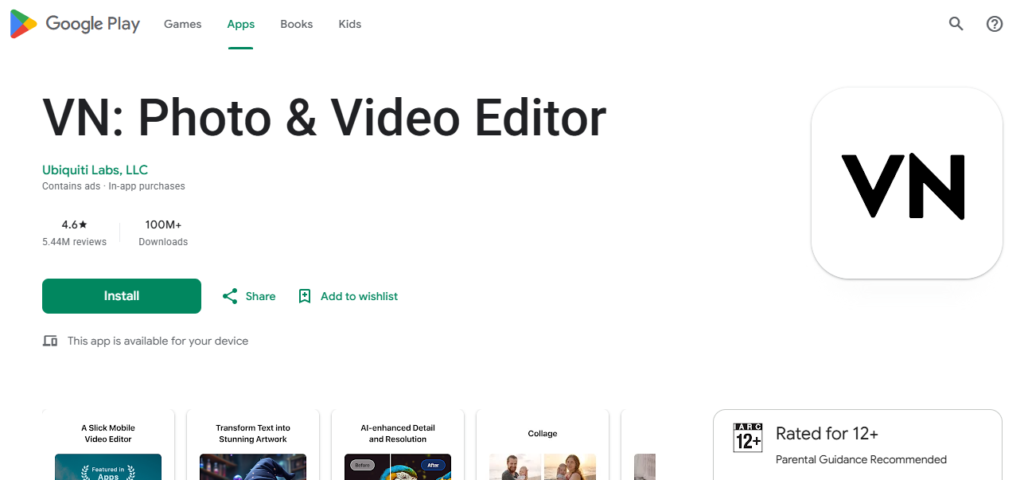
VN is suitable for Facebook Reels as well as longer videos. Creators can use it for tutorials, educational videos, interviews, travel content, product demonstrations and storytelling. One of its biggest advantages is the level of control it gives creators without making the application feel as complicated as some desktop video editing programs.
Pros of VN Video Editor
- Multi-track timeline
- Professional editing controls
- Keyframe animation
- Speed controls
- Filters and transitions
- Caption tools
- Good for Reels and longer videos
- Suitable for beginners and experienced creators
Cons of VN Video Editor
- Advanced projects may require a powerful smartphone
- Beginners may need time to learn the timeline
- Large projects can consume considerable storage
- Some features may change with app updates
Google Play Download
Download VN Video Editor from Google Play
KineMaster
KineMaster is a powerful mobile video editor for Facebook creators who want to work with multiple layers and advanced effects. The application is particularly useful for creators producing educational videos, reaction videos, tutorials, promotional videos and visually complex Reels. KineMaster provides tools for layering video and audio, animation, effects, captions and other creative elements.
Pros of KineMaster
- Multi-layer editing
- Advanced timeline
- Animation tools
- AI-powered features
- Automatic captions
- Large effects library
- Audio editing tools
- Suitable for Reels and longer Facebook videos
Cons of KineMaster
- Some features require a subscription
- Advertisements may appear
- Advanced projects can be demanding on older phones
- Beginners may need some time to learn the application
Google Play Download
Download KineMaster from Google Play
Filmora
Filmora is a popular AI video editing application from Wondershare. Its current Google Play listing highlights AI video creation tools, image-to-video, text-to-video, story-to-video and marketing-video features. This makes Filmora interesting for Facebook digital creators who create promotional videos, business content, product videos and social media content.
For example, a small business owner could use Filmora to create a product promotion for a Facebook Page, while a content creator could use its editing tools to produce Reels and longer videos.
Pros of Filmora
- AI video creation
- Text-to-video tools
- Image-to-video tools
- Marketing video features
- Creative templates
- Traditional video editing tools
- Good for social media content
- Useful for businesses and creators
Cons of Filmora
- Many advanced AI features require payment
- AI features may use credits
- Subscription costs can increase for frequent users
- Some users may find the large number of features overwhelming
Google Play Download
Download Filmora from Google Play
PowerDirector
PowerDirector is designed for creators who want advanced editing tools and AI features in a mobile application. Its current Google Play listing includes trimming, cutting, cropping, music, speed controls, background removal, transitions, effects, text and animated titles. It also includes AI video editing and AI text-to-video features.
PowerDirector is a strong option for Facebook digital creators who produce longer videos, tutorials, product demonstrations, business videos and professional-looking Reels.
Pros of PowerDirector
- Advanced video editing tools
- AI-powered features
- Background removal
- Large effects library
- Animated titles
- Audio and video controls
- Cloud projects with premium features
- Good for professional creators
Cons of PowerDirector
- Some advanced features require payment
- Contains advertisements
- AI features may have usage limitations
- Complex projects require a capable smartphone
Google Play Download
Download PowerDirector from Google Play
InShot
InShot is a popular choice for beginners who want to edit Facebook videos quickly. It is particularly useful for short-form content because creators can trim videos, add music, text, stickers, transitions and other effects without dealing with a complicated editing workflow. InShot is suitable for Facebook Reels, Stories, short tutorials, product videos and promotional content.
Pros of InShot
- Very easy to use
- Beginner-friendly interface
- Text and sticker tools
- Music and sound effects
- Speed controls
- Filters and transitions
- Good for Reels
- Quick editing workflow
Cons of InShot
- Some features are premium
- Advertisements may appear
- Less suitable for complex professional projects
- Multi-layer editing is not as extensive as some competitors
Google Play Download
Download InShot from Google Play
YouCut
YouCut is another useful mobile video editor for Facebook creators, particularly those who want a simple editing experience. Its Google Play listing highlights automatic captions, background removal, video enhancement, slow motion, chroma key, picture-in-picture and video compression. It supports resolutions up to 4K and allows users to share videos to Facebook and other social platforms.
YouCut can be a good option for creators who are just starting their Facebook journey.
Pros of YouCut
- Simple interface
- Beginner-friendly
- Automatic captions
- Background removal
- Video enhancement
- Chroma key
- Picture-in-picture
- Supports high-resolution video
- Useful for Facebook Reels
- No watermark according to its Google Play listing
Cons of YouCut
- Fewer advanced tools than professional editors
- Some features require payment
- Not ideal for highly complicated projects
- Advanced creators may prefer a larger multi-track editor
Google Play Download
Download YouCut from Google Play
Which Is the Best Mobile Video Editor for Facebook Creators?
There is no single best video editor for every Facebook digital creator. For Facebook Reels and fast social media content, CapCut and InShot are strong choices. For creators who want greater control over their editing timeline, VN Video Editor and KineMaster are excellent options. For AI-powered video creation and marketing content, Filmora is worth considering. For creators who want advanced editing and AI tools, PowerDirector is another strong option.
For beginners who want a simple and lightweight editing workflow, YouCut can be a practical choice. If you are starting from scratch, try one or two applications rather than installing every video editor. Learn the basic tools, develop a consistent editing style and then move to more advanced features as your audience grows.
How Facebook Creators Can Use Video Editors to Make Money
A video editing application does not directly pay you. Instead, it helps you create better content that can potentially generate income through eligible Facebook monetization programs or other business opportunities. One strategy is to build a Facebook Page or professional creator presence around a specific topic.
For example, you could create videos about:
- Technology
- Android apps
- Education
- Jobs
- Cooking
- Travel
- Fitness
- Entertainment
- Personal finance
- Tutorials
- Product reviews
- Local information
Once you have selected a niche, create original videos consistently. Use your mobile video editor to add captions, remove unnecessary sections, improve audio and make the opening seconds engaging.
Meta says Facebook is putting more emphasis on original content and reducing the reach of unoriginal material. Its March 2026 guidance says content that is duplicated or only minimally changed from another creator’s work can be deprioritized. Therefore, downloading someone else’s video, adding borders or captions and uploading it again is not a reliable Facebook monetization strategy.
Instead, record your own footage, provide your own commentary, teach something useful, tell an original story or substantially transform third-party material with meaningful creative value where permitted.
How to Make Better Facebook Reels on Mobile
Start your video with a strong hook. The first few seconds should tell viewers why they should continue watching. Keep the video focused on one subject. Avoid unnecessary introductions and long pauses. Use captions because many people watch social media videos without sound. Choose music carefully and make sure it does not overpower spoken audio. Use transitions only when they improve the storytelling. Too many effects can make a video look less professional.
For Facebook Reels, use a vertical format and keep important text away from the edges of the screen. Finally, watch your analytics. Meta introduced additional Facebook Content Monetization metrics, including Qualified View, Earnings Rate and Non-Qualified Views, to help creators understand performance and earnings.
Original Content Is Important for Facebook Monetization
One of the most important things Facebook creators should understand in 2026 is the difference between edited content and original content. A video editor can make a video look different, but simply changing the speed, adding captions or placing borders around another person’s video does not necessarily make it original.
Meta says it is prioritizing original content in Feed and Reels and reducing the distribution of unoriginal content. It also says creators who continue posting primarily unoriginal content can face reduced recommendation and monetization consequences.
This makes mobile video editors valuable not because they help creators copy content, but because they allow creators to produce their own professional videos efficiently.
Facebook Creator Tools in 2026
Facebook is also introducing more AI-powered tools for creators. In June 2026, Meta announced Creator Assistant, a tool inside Facebook designed to provide creators with personalized insights, content ideas and recommendations based on their content performance and audience. Meta says Creator Assistant is rolling out to creators in the US, Canada and India.
This means Facebook creators increasingly have access to both AI-assisted creation tools and traditional mobile video editing applications. Creators can combine these tools with their own ideas, recording skills and editing abilities to develop a stronger content strategy.
The rise of mobile video editing has made it much easier for Facebook digital creators to produce professional content without investing in expensive editing computers.
CapCut is an excellent option for Reels and social media videos. VN Video Editor is a strong choice for creators who want a professional timeline. KineMaster is useful for multi-layer editing, while Filmora offers a growing range of AI-powered creation tools.
PowerDirector is suitable for creators who want advanced editing and AI features. InShot is excellent for beginners, while YouCut offers a simple editing workflow for creators who want to produce Facebook videos quickly.
However, the most important factor in earning money on Facebook is not the editing app. Your success depends on the originality, quality, consistency and performance of your content, along with meeting Facebook’s monetization requirements. Meta says Facebook paid nearly $3 billion to content creators in 2025 and continues to invest in tools that help creators grow and monetize their work.
If you want to become a successful Facebook digital creator in 2026, start with one mobile video editor, learn it properly, create original content and publish consistently. Over time, you can improve your editing skills, understand your audience and build a sustainable Facebook content business.
Related Links
- Facebook for Creators
- Meta Newsroom – Creator Fast Track
- Meta – Rewarding Original Creators on Facebook
- Google Play – Video Players & Editors