Blogging is one of the most popular ways to build an online income, but creating a successful blog requires more than writing good articles. Attractive images, videos, graphics and other visual content can make blog posts easier to understand, more engaging and more shareable.
The good news is that bloggers do not always need to pay for expensive stock-photo subscriptions. Several websites provide high-quality free images and videos that can be used for blogs, YouTube channels, social media, newsletters and other online projects.
Table of Contents
However, “free” does not automatically mean “use it anywhere without checking the rules.” Each platform has its own license and restrictions. In this guide, we will look at where to find free images and videos, how to use them to build an online income, and the important terms and conditions bloggers and creators should understand.
Why Images and Videos Matter for Making Money Online
Visual content can play an important role in online business. A blog post containing relevant images can be easier to read than a long page of text. Images can also be used as featured images, article illustrations, infographics, Pinterest graphics and social media posts.
Videos can take your content even further. A blogger can turn an article into a YouTube video, create short-form videos for social platforms, or use stock footage as part of an educational video.
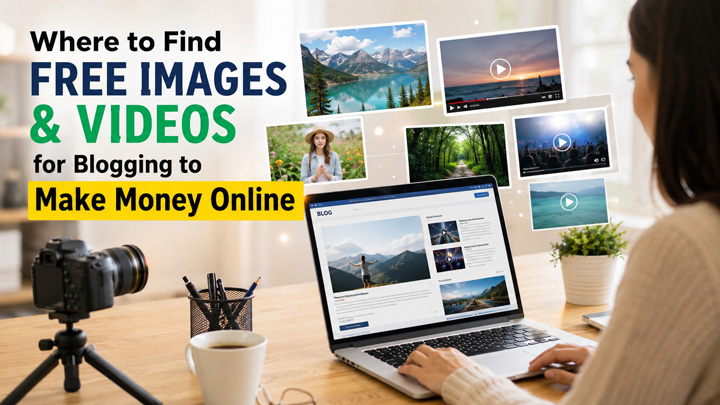
For example, a blogger writing about “10 Ways to Make Money Online” could use:
- A professional featured image
- Screenshots showing websites or tools
- Free stock images between sections
- Short stock video clips
- Custom graphics explaining different income methods
- YouTube videos related to the topic
- Social media graphics promoting the article
The visual content itself does not automatically make money. Instead, it can help you create better content that attracts visitors, subscribers and potential customers.
Where to Find Free Images and Videos for Blogging
1. Pexels
Pexels is one of the most useful resources for bloggers because it provides both photos and videos. According to Pexels’ current license information, its photos and videos can be used for personal and commercial purposes without attribution. Pexels specifically mentions websites, blogs, e-commerce sites, newsletters and social media among permitted uses.
This makes Pexels particularly useful for websites trying to make money through advertising, affiliate marketing or other commercial activities. Pexels also provides video clips that can be useful for YouTube videos, Shorts and social media content.
You can search for subjects such as:
- Money
- Business
- Laptop
- Work from home
- Blogging
- Social media
- YouTube
- Technology
- Online shopping
- Freelancing
Visit the website: https://www.pexels.com
2. Unsplash
Unsplash is another popular source of high-quality free photographs. Unsplash states that its images can generally be used for personal and commercial projects without asking permission or providing attribution.
One important point is that the copyright license for an image does not necessarily give you permission to use every recognizable person, logo, trademark or copyrighted work appearing in that image. Unsplash specifically warns that additional rights may apply.
Unsplash is particularly useful when you need attractive photographs for:
- Blog featured images
- Business articles
- Technology blogs
- Travel websites
- Lifestyle articles
- Finance content
- Social media graphics
- Website banners
Visit the website: https://unsplash.com
3. Pixabay
Pixabay is another useful platform for bloggers and online content creators. Pixabay provides photos, illustrations, vectors and videos. Its current Content License generally permits users to use, modify and adapt content for commercial and non-commercial purposes, subject to its prohibited uses and other applicable rights.
Pixabay can be especially useful when you need more than ordinary photographs. For example, you can search for illustrations, backgrounds, icons and video clips for your blog and YouTube content.
Visit the website: https://pixabay.com
How to Use Free Images in Blog Posts
Free images can be used in several ways.
- Featured images: Create an attractive featured image for every major article. This image can also be reused when promoting the article on Facebook, X, Pinterest or other social platforms, subject to the relevant platform and stock site’s rules.
- Images inside articles: Instead of putting one large image at the top of an article, use relevant images throughout longer articles. This can break up large sections of text and improve readability.
- Infographics: You can combine free images with your own text, charts, icons and graphics to create original visual content.
- Affiliate marketing articles: Suppose you publish an article about laptops, home-office equipment or blogging tools. You can use suitable stock imagery to make the article visually appealing, while the actual affiliate product information should come from the appropriate merchant or manufacturer.
Don’t use a stock photograph in a way that falsely suggests that the person, company or brand shown in the photograph recommends your product.
How to Use Free Videos on YouTube
Free stock videos can be useful for YouTube, but simply downloading a stock clip and uploading it unchanged is generally not a good content strategy. Instead, use stock footage as part of an original video.
For example, if you are making a video called “How to Make Money Online in 2026,” you could combine:
- Your own narration
- Your own research
- Screen recordings
- Free stock video clips
- Text overlays
- Charts and graphics
- Your own editing
- Relevant screenshots
This creates a more useful and original video than simply uploading someone else’s stock footage. Stock footage can also be useful for YouTube Shorts, Instagram Reels and other short-form videos.
Using Free Images and Videos on Social Media
Bloggers can repurpose visual content across several platforms. This approach can help you promote the same piece of content across multiple channels without creating everything from scratch.
A single blog article could produce:
- One website featured image
- Three or four social media graphics
- A Pinterest pin
- A YouTube video
- Several YouTube Shorts
- Instagram or Facebook posts
- An email newsletter graphic
How Free Visuals Can Help You Make Money Online
Free images and videos don’t directly generate income. They are resources that can help you produce content more efficiently. You can potentially monetize the resulting content through:
- Display advertising: A blog that attracts significant traffic can potentially earn revenue through advertising.
- Affiliate marketing: You can publish useful product comparisons, tutorials and buying guides and earn commissions when readers purchase through eligible affiliate links.
- YouTube monetization: You can build an original YouTube channel and potentially earn money through eligible monetization programs once you meet the applicable requirements.
- Digital products: Visual content can help promote ebooks, courses, templates, printables and other digital products.
- Sponsored content: Established websites and social media accounts may attract companies interested in sponsored campaigns.
The important distinction is that free stock content is an input into your content business. The income comes from the audience and the monetization model you build around your original content.
Pros of Using Free Images and Videos
- Saves money: You can create professional-looking content without immediately paying for a stock-media subscription.
- Large selection: Platforms such as Pexels, Unsplash and Pixabay contain large collections covering business, technology, lifestyle, travel and many other subjects.
- Useful for beginners: Free resources make it easier for new bloggers and YouTubers to start creating content with a limited budget.
- Supports content repurposing: The same visual resources can often be incorporated into blog articles, videos and social media designs, provided your intended use complies with the applicable license.
- Commercial use is possible: Several major platforms permit commercial uses under their respective licenses. Pexels, for example, explicitly permits commercial use of its photos and videos.
Cons of Using Free Images and Videos
The same image may be used by many websites: Popular stock images can appear on thousands of blogs and social media accounts. Your content can therefore look less distinctive.
- Licensing restrictions still apply: Free does not mean unrestricted. You must follow the site’s license and terms.
- People and brands can create additional issues: An image may contain recognizable people, trademarks, logos, artwork or private property. Those elements can have rights separate from the stock platform’s copyright license.
- Some platforms have restrictions on standalone use: Pexels prohibits selling or distributing its content as standalone files and has restrictions around trademarks, brands and other uses.
Terms and Conditions You Should Check
Before downloading any free image or video, check these points:
- Commercial-use permission: If your blog earns money through advertising, affiliate links or products, make sure commercial use is permitted.
- Attribution requirements: Some licenses require attribution. Pexels and Unsplash currently do not generally require attribution under their standard free licenses, although credit is appreciated.
- Don’t redistribute the original file: Don’t download stock content and then create your own website that distributes those files as a competing stock-media service.
- Don’t imply endorsement: Don’t make it appear that a person or brand shown in a stock image endorses your business, product or service. Pexels specifically prohibits implying endorsement.
- Check logos and trademarks: Be particularly careful with commercial content showing recognizable brands and logos.
- Keep a record: For important commercial projects, save the URL of the image, the download date and a copy or screenshot of the applicable license information. Licenses and terms can change, so maintaining records can be useful.
Best Practices for Bloggers
Don’t simply download an image and insert it into an article without thinking about its purpose.
Instead:
- Choose images relevant to the subject.
- Compress images before uploading them to your website.
- Use descriptive filenames.
- Add appropriate alt text.
- Avoid unnecessarily large images that slow your website.
- Create original graphics from stock resources where appropriate.
- Check the current license before commercial use.
- Avoid images that could create misleading impressions about people or brands.
- Keep track of the source and license for important projects.
For YouTube, add your own narration, research, editing, graphics or other original contributions rather than relying entirely on stock footage.
Free images and videos can be extremely useful for people who want to start blogging or creating YouTube content without spending a large amount of money on visual assets.
Pexels, Unsplash and Pixabay are three excellent places to start. They can provide photographs, videos and other visual resources for blog posts, YouTube videos, social media content and online marketing.
However, always remember that free content still comes with rules. A stock site’s license may cover the photograph or video itself while separate rights can apply to recognizable people, brands, logos, artwork or other material appearing within it.
If your goal is to make money online, use free visuals as part of a larger content strategy. Combine them with original writing, useful information, your own videos, tutorials, reviews, affiliate content and social media promotion. The objective should not simply be to use free images—it should be to use them to create valuable content that attracts an audience and supports a sustainable online income.