In 2026, a smartphone is much more than a device for making calls and sending messages. The right mobile applications can help you manage your daily schedule, communicate with family and friends, navigate unfamiliar places, store important documents, manage money, study, work online, edit photos and videos, and stay organized.
With thousands of apps available on the Google Play Store, choosing the best mobile applications for daily use can be difficult. Some apps are useful for only a few days, while others become essential tools that people use every day.
This guide covers some of the best Android apps for daily use in 2026, focusing on free apps and services that provide practical value. It includes productivity apps, communication apps, finance and payment apps, entertainment apps, file-management tools, photo apps and other useful applications. Many of these apps are free to download, although some may offer optional premium features, subscriptions or in-app purchases.
Best Mobile Applications for Daily Use in 2026
The best daily-use apps are not necessarily the most complicated ones. A good everyday app should solve a common problem quickly, have a simple interface and work reliably. Here are some of the most useful free Android applications to consider in 2026.
1. WhatsApp – Best App for Communication
WhatsApp remains one of the most useful mobile applications for everyday communication. It can be used for personal messages, family groups, business communication, voice calls, video calls and sharing photos, documents and other files.
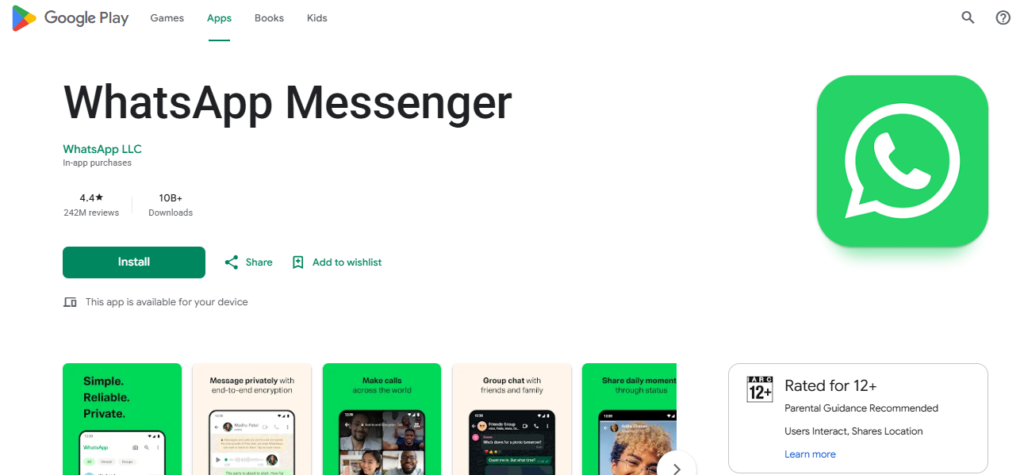
For many Android users, WhatsApp is one of the first applications installed on a new smartphone. You can use it to communicate with friends and family, participate in community groups and stay connected with customers or colleagues. The app is free to download from Google Play Store.
Download: WhatsApp on Google Play Store
2. Google Maps – Best Navigation App
Google Maps is one of the best mobile applications for daily use if you travel frequently. It provides directions, navigation, traffic information and information about businesses and places. You can use Google Maps to find restaurants, hospitals, petrol stations, shops, ATMs, hotels and other locations. It is also useful when travelling to a new city. For everyday travel, navigation and location searches, Google Maps is an essential Android application.
Download: Google Maps on Google Play Store
3. Gmail – Best Email Application
Email is still important for education, jobs, business, online accounts and official communication. Gmail provides a convenient way to manage email directly from an Android smartphone. The Gmail Android app supports multiple accounts and powerful email search. Google also highlights spam and phishing protection as part of the service. Students can use Gmail for educational communication, while professionals can manage work-related messages from their phones.
Download: Gmail on Google Play Store
4. Google Keep – Best Notes and To-Do App
Google Keep is one of the best free productivity apps for people who frequently need to remember information. You can create notes, shopping lists, checklists, reminders and quick ideas. It also supports voice notes and can synchronize information across supported devices. Google Play currently lists Google Keep with more than 1 billion downloads. Its simple interface makes it particularly useful as a daily notes app.
For example, you can create separate notes for:
- Grocery shopping
- Monthly expenses
- Work tasks
- Study plans
- Important phone numbers
- Website ideas
- Travel plans
Download: Google Keep on Google Play Store
5. Google Calendar – Best Daily Planner
Google Calendar is another excellent application for organizing your daily life. You can create appointments, meetings, reminders and events. It provides different calendar views and can synchronize your schedule across supported devices. Google Play describes it as an official calendar app for Android phones, tablets and Wear OS devices. Students can use it to schedule classes and examinations, while professionals can organize meetings, deadlines and appointments. Using a calendar regularly can also help prevent missed appointments and important deadlines.
Download: Google Calendar on Google Play Store
6. Google Drive – Best Cloud Storage App
Google Drive is useful for storing and accessing documents, photographs, PDFs and other files. Instead of keeping every important document only on your smartphone, cloud storage gives you another way to access your files from supported devices. Google Drive is particularly useful for students, teachers, office workers, freelancers and website owners who regularly work with documents. It also works well with Google Docs, Google Sheets and Google Slides.
Download: Google Drive on Google Play Store
7. Google Photos – Best Photo Backup App
For people who take many photographs and videos, Google Photos is a useful application for organizing and managing media. It can help you find photographs, create albums and access backed-up content across supported devices. A photo-management application is especially useful when your phone contains thousands of photographs from family events, travel, work and social media content.
Download: Google Photos on Google Play Store
8. Google Translate – Best Translation App
Google Translate is useful when you encounter unfamiliar languages while travelling, studying or communicating online. It can be useful for translating text and understanding information in another language. Combined with camera-based translation features on supported devices, it can also be useful when reading signs, menus and printed information. For travellers and students, it is one of the most practical free utility apps.
Download: Google Translate on Google Play Store
9. Google Lens – Best Visual Search Tool
Google Lens is another useful application for everyday smartphone users. It can help identify objects, search for information using images, recognize text and perform useful visual searches. For example, you can use it to copy text from a photograph, translate text or learn more about something you see. It can be especially useful for students, travellers and people who regularly work with printed documents.
Download: Google Lens on Google Play Store
10. Google Pay – Best UPI Payment App
Digital payments have become an important part of everyday life in India. Google Pay can be used for UPI payments, sending money and paying for various services. Instead of carrying cash for every small purchase, users can make eligible digital payments using their smartphones. However, users should always verify the recipient and payment details before confirming a transaction. Never share your UPI PIN, OTP or banking credentials with another person.
Download: Google Pay on Google Play Store
11. DigiLocker – Best App for Digital Documents
DigiLocker is particularly useful for users in India who want convenient access to eligible digital documents and certificates. Keeping important digital documents accessible on your smartphone can be helpful when completing applications, educational processes or other official tasks. Users should download government-related applications from their official publisher or the official Google Play Store listing rather than installing APK files from unknown websites.
Download: DigiLocker on Google Play Store
12. YouTube – Best Video and Learning App
YouTube is not only an entertainment application. It has become a major source of free educational content, tutorials, news, technology information, career guidance and practical learning. Students can find lectures and educational videos, while professionals can learn software, digital marketing, photography, video editing and many other skills. The key is to use YouTube intentionally rather than spending excessive time scrolling through recommendations.
Download: YouTube on Google Play Store
13. Canva – Best Graphic Design App
Canva is a useful choice for people who create social media posts, YouTube thumbnails, posters, presentations and other visual content. The free version provides a large collection of templates and design tools, although some features and assets require payment. For bloggers, students, small businesses, social media creators and website owners, Canva can significantly simplify basic graphic design.
Download: Canva on Google Play Store
14. Google Docs – Best Document App
Google Docs is useful when you need to create or edit documents from a smartphone. Students can use it for assignments and notes, while professionals can use it for reports, articles and other documents. Its cloud-based workflow also makes it convenient when you need to continue working from another device.
Download: Google Docs on Google Play Store
15. Google Sheets – Best Spreadsheet App
Google Sheets is one of the best free mobile applications for working with spreadsheets. You can use it to track expenses, maintain lists, manage simple business records, calculate data and organize information. For small businesses and freelancers, a spreadsheet app can be particularly useful for recording income and expenses.
Download: Google Sheets on Google Play Store
16. Files by Google – Best File Manager
Files by Google helps users browse, organize and manage files on an Android smartphone. It can be useful for finding downloaded documents, removing unnecessary files and managing storage. Google’s Play Store listings include Files by Google among its Android applications.
Download: Files by Google on Google Play Store
17. VLC – Best Free Media Player
VLC is a popular media player for Android that can play many common video and audio formats. It is useful if you regularly download videos, watch locally stored media or have files that do not play correctly in your phone’s default media player.
Download: VLC for Android on Google Play Store
18. YouTube Studio – Best App for YouTube Creators
For anyone running a YouTube channel, YouTube Studio is an important mobile application. It allows creators to manage their channel, monitor performance, review comments and keep track of video-related information from a smartphone. For bloggers and content creators who also publish videos, it can be a useful part of a mobile content-creation workflow.
Download: YouTube Studio on Google Play Store
How to Choose the Best Daily-Use Apps
You do not need to install every application available on the Play Store. Too many apps can make your smartphone cluttered and may increase notifications and distractions. A better approach is to install apps according to your actual needs.
- For communication, WhatsApp and Gmail are useful.
- For productivity, Google Keep, Google Calendar, Google Docs and Google Sheets are excellent choices.
- For travel, Google Maps and Google Translate can be valuable.
- For digital documents and payments in India, DigiLocker and Google Pay are practical choices.
- For content creators, Canva and YouTube Studio can be particularly useful.
- For files and media, Files by Google and VLC can simplify everyday smartphone use.
Tips for Using Android Apps Safely
Before downloading any application, check the developer name and Google Play Store listing. Avoid downloading modified APK files or applications from unknown websites simply because they promise premium features for free.
Keep Android and your installed applications updated. Review app permissions and uninstall applications that you no longer use. For banking and payment applications, never share your OTP, UPI PIN, password or other security credentials. It is also a good idea to enable two-factor authentication for important accounts whenever available.
Best Free Android Apps: Quick List
If you want a simple list of the best mobile applications for daily use in 2026, consider:
- WhatsApp – Communication
- Google Maps – Navigation
- Gmail – Email
- Google Keep – Notes and lists
- Google Calendar – Planning
- Google Drive – Cloud storage
- Google Photos – Photo management
- Google Translate – Translation
- Google Lens – Visual search
- Google Pay – Digital payments
- DigiLocker – Digital documents
- YouTube – Entertainment and learning
- Canva – Graphic design
- Google Docs – Documents
- Google Sheets – Spreadsheets
- Files by Google – File management
- VLC – Media playback
- YouTube Studio – YouTube management
The best mobile applications for daily use in 2026 are the ones that make everyday tasks easier rather than simply adding more entertainment to your smartphone. Apps such as WhatsApp, Google Maps, Gmail, Google Keep, Google Calendar, Google Drive, Google Photos and YouTube can cover many everyday requirements. For Indian users, Google Pay and DigiLocker are also highly practical additions.
Students, professionals, freelancers and content creators can further benefit from applications such as Google Docs, Google Sheets, Canva and YouTube Studio. Since many of these applications are free to download, you can start with the apps that match your needs and gradually build a useful Android app collection. Always use the official Google Play Store listing when downloading applications and check the developer information before installation.