Best Apps for YouTube in 2026: Starting a YouTube channel is easier than ever, but building a successful and profitable channel requires more than simply recording and uploading videos. You need applications for video editing, thumbnail design, keyword research, scripting, analytics, audio improvement, Shorts creation and audience management.
The good news is that you do not need dozens of expensive applications. A small and carefully selected YouTube creator toolkit can handle most of the work. Current creator-tool comparisons commonly group the most useful tools into editing, thumbnails, SEO and keyword research, analytics, AI assistance and content repurposing.
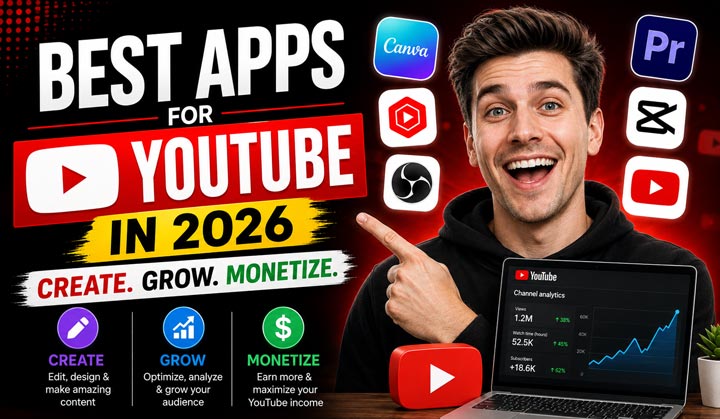
If your objective is to make money on YouTube, the right apps can help you save time, improve video quality, increase click-through rate, attract search traffic and understand which videos are generating the best results.
Table of Contents
1. YouTube Studio – Best App for YouTube Analytics and Channel Management
YouTube Studio is the official application every YouTuber should have. It allows creators to manage their channels, monitor videos, respond to comments and analyze channel performance.
YouTube’s current Analytics system provides information about reach, engagement, audience, content performance, revenue and trends. The Trends section can also help creators identify what audiences are searching for and discover potential content gaps.
Why YouTubers Need It
YouTube Studio is particularly important if your goal is to make money from YouTube because it allows you to monitor the performance of your content and revenue. You can examine views, watch time, audience retention, traffic sources, subscribers, estimated revenue and other important metrics.
The application can therefore help you answer important questions such as:
- Which videos are attracting the most viewers?
- Where are viewers finding your videos?
- Which videos generate the most watch time?
- What type of content is gaining subscribers?
- Which videos are generating revenue?
- What are your viewers interested in watching?
For a creator building YouTube as a business, these insights are much more valuable than simply looking at the number of views.
Best for: Channel management, analytics, revenue tracking, comments and content performance.
2. CapCut – Best Video Editing App for Beginners
CapCut has become a popular video editing application, particularly for Shorts and mobile content creation. It provides tools for trimming videos, adding captions, transitions, effects, music and other elements. For beginners who do not have professional editing experience, an easy video editor can make it much faster to turn raw footage into publishable content.
Why YouTubers Need It
Video editing is one of the biggest parts of the YouTube creation process. CapCut can be useful for creators producing YouTube Shorts, tutorials, talking-head videos and social-media clips. A creator can also repurpose longer videos into shorter clips, allowing one piece of content to potentially generate multiple uploads.
Best for: YouTube Shorts, mobile editing, captions, quick videos and content repurposing.
3. Canva – Best App for YouTube Thumbnails
Canva is one of the most useful applications for YouTubers who need to create thumbnails, channel graphics and other visual content. Thumbnails are extremely important because they influence whether someone decides to click on a video. Current YouTube creator-tool discussions increasingly emphasize testing and improving video packaging rather than simply creating a visually attractive thumbnail.
Why YouTubers Need It
Canva allows creators to design YouTube thumbnails without advanced graphic-design skills.
You can create:
- YouTube thumbnails
- Channel banners
- Video graphics
- Social-media posts
- Promotional images
- Infographics
- Community-post graphics
For a new YouTuber, Canva can significantly reduce the cost of hiring a professional designer.
Best for: YouTube thumbnails, channel branding and graphic design.
4. TubeBuddy – Best YouTube SEO and Keyword Research Tool
TubeBuddy is designed specifically for YouTube creators and provides tools for keyword research, SEO optimization, channel management and content planning. YouTube SEO is important because viewers often discover videos through YouTube search and recommendations. Finding relevant keywords can help you create videos around topics people are actually interested in.
Why YouTubers Need It
TubeBuddy can help creators research keywords, optimize titles and descriptions and improve their overall YouTube SEO strategy. For example, instead of making a video simply titled “Best Phones,” a creator can research more specific search terms such as “best budget phones under $250” or “best Android phones for students.” More specific keywords can help a new channel target less competitive search opportunities.
Best for: YouTube SEO, keyword research, title optimization and channel growth.
5. vidIQ – Best App for YouTube Ideas and SEO
vidIQ is another popular YouTube growth tool that focuses on keyword research, content ideas, SEO and channel analysis. It can help creators discover potential topics and understand what audiences may be interested in watching. Current 2026 creator-tool comparisons continue to list vidIQ among the major tools for YouTube search and content research.
Why YouTubers Need It
Coming up with video ideas consistently can be difficult. A YouTuber may have the ability to create excellent videos but still struggle to decide what to publish.
Tools such as vidIQ can help with:
- Keyword research
- Video ideas
- Topic research
- SEO optimization
- Competitor analysis
- Content planning
This can be especially useful for creators building niche channels around technology, education, finance, gaming, software, jobs or other searchable topics.
Best for: Keyword research, video ideas, YouTube SEO and competitor research.
6. DaVinci Resolve – Best Professional Video Editing Software
DaVinci Resolve is a powerful video editing application suitable for creators who want more advanced editing capabilities. Unlike simple mobile editors, professional editing software provides much greater control over video, audio, color correction, effects and production quality.
Why YouTubers Need It
If your channel grows and you begin producing longer videos, documentaries, tutorials or professional content, advanced editing can become increasingly important. DaVinci Resolve is particularly useful for creators who want to develop professional video-editing skills without immediately investing in expensive software.
Best for: Professional video editing, color correction, advanced effects and long-form YouTube content.
7. Adobe Premiere Pro – Best for Professional YouTube Editing
Adobe Premiere Pro is another professional video editing application widely used for advanced video production. It provides extensive editing capabilities and is suitable for creators producing professional YouTube videos, documentaries, educational content, interviews and commercial projects.
Why YouTubers Need It
Professional editing can become valuable when YouTube becomes a serious business. Better editing can help improve storytelling, pacing and viewer experience. However, beginners do not necessarily need expensive professional software. You can start with simpler or free editing applications and upgrade when your channel generates enough income to justify the expense.
Best for: Professional creators, advanced editing and commercial video production.
8. Google Trends – Best for Finding Popular Topics
Google Trends is a useful free tool for researching what people are searching for on Google. Although it is not specifically a YouTube editing application, it can be extremely valuable for YouTubers who want to create videos around popular or seasonal topics.
Why YouTubers Need It
Suppose you operate a technology channel. Before creating a video, you can investigate whether interest in a particular smartphone, application or technology topic is increasing. This can help you identify trends before investing time in creating a video. You can also compare different topics and identify seasonal opportunities.
Best for: Topic research, trend discovery, keyword ideas and content planning.
9. OBS Studio – Best for Screen Recording and Live Streaming
OBS Studio is a popular free application for screen recording and live streaming. It is particularly useful for gaming channels, software tutorials, educational channels and creators who need to record their computer screens.
Why YouTubers Need It
If you create tutorials, demonstrations or gaming videos, screen recording can be an important part of your content strategy. You can record your screen, webcam and microphone and combine them into a single production.
Best for: Gaming, tutorials, screen recording and livestreaming.
10. Adobe Podcast – Useful for Improving Voice Quality
Audio quality is often overlooked by beginners. However, viewers may tolerate average video quality more easily than poor or difficult-to-understand audio. Adobe Podcast provides tools designed to improve recorded speech and make voice recordings cleaner.
Why YouTubers Need It
If you create educational videos, podcasts, tutorials, commentary or talking-head content, improving voice quality can make your videos more professional. Better audio can also make viewers more comfortable watching longer videos.
Best for: Voice recording, podcasting, narration and improving spoken audio.
How These Apps Can Help You Make Money on YouTube
The purpose of using these applications should not simply be to make videos look better. The bigger objective is to create a repeatable content system that can eventually generate income.
For example, you can use Google Trends, TubeBuddy or vidIQ to research topics. You can then use an AI writing or scripting tool to organize your ideas, record your video, edit it with CapCut or DaVinci Resolve, create a thumbnail with Canva and finally upload and analyze it through YouTube Studio.
Once your channel qualifies for YouTube monetization, you may be able to earn from advertising revenue. You can also diversify your income through affiliate marketing, sponsorships, memberships, digital products, courses and services. YouTube Studio is particularly important because its Revenue section can show estimated revenue and other monetization information for eligible channels.
Best YouTube Apps for Beginners
You do not need to install every application mentioned in this article.
A beginner can start with a simple YouTube creator toolkit:
- YouTube Studio for analytics and channel management
- CapCut for video editing
- Canva for thumbnails
- Google Trends for topic research
- TubeBuddy or vidIQ for YouTube SEO
- OBS Studio for screen recording or live streaming
This combination can cover most of the essential tasks required to start a YouTube channel.
The best apps for YouTubers depend on the type of content you create and your level of experience. YouTube Studio is essential for analytics and channel management, while CapCut and DaVinci Resolve are useful for video editing. Canva is excellent for thumbnails, and TubeBuddy, vidIQ and Google Trends can help with keyword research and content planning.
If your objective is to earn money from YouTube, do not focus only on expensive applications. The most important factors are choosing the right niche, researching topics, creating valuable content, producing attractive thumbnails, maintaining audience retention and consistently analyzing your results.
The right applications can save time and improve your workflow, but it is the quality and usefulness of your content that ultimately gives your YouTube channel the best opportunity to grow and generate income.
Below are the official websites for all the tools and applications featured here:
- YouTube Studio: YouTube Studio
- CapCut: CapCut
- Canva: Canva
- TubeBuddy: TubeBuddy
- vidIQ: vidIQ
- DaVinci Resolve: DaVinci Resolve
- Adobe Premiere: Adobe Premiere
- Google Trends: Google Trends
- OBS Studio: OBS Studio
- Adobe Podcast: Adobe Podcast